






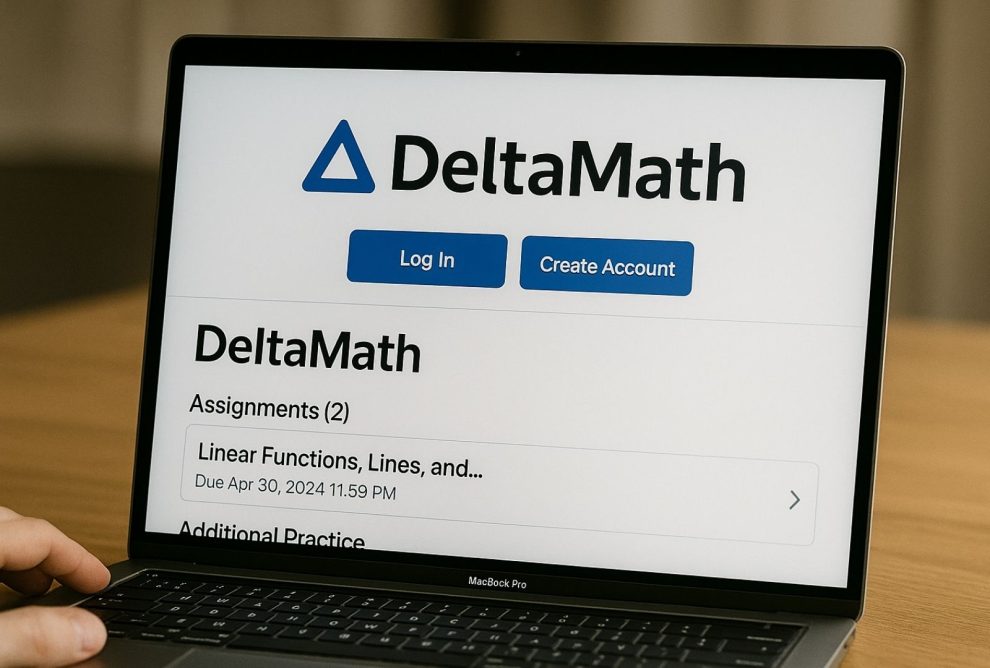

The Delta Math login page is the entry point for one of the most widely adopted mathematics practice platforms in secondary education. More than two million students used it during the 2024–2025 academic year, and its reach continues growing as teachers discover that its randomised problem engine closes the most common gap in digital homework tools: students copying each other’s answers.
This guide walks through everything from first login to advanced features, covering students and teachers separately where the process differs.
Before You Start: What Delta Math Login Actually Is
Zach Korzyk built Deltamath as a working mathematics teacher who wanted a practice tool that functioned the way assessment should — giving every student a genuinely individual experience rather than a shared set of answers to hunt down. The platform serves grades 6 through 12 across pre-algebra, algebra, geometry, trigonometry, statistics, and calculus.
The design decision that makes it work is randomisation at the value level. Two students sitting side by side, assigned the same problem type, receive different numerical inputs. The mathematical concept being assessed is identical. The specific calculation is not. Sharing answers between students produces wrong answers — which is the point.
Teachers build assignments mapped to Common Core standards, state curriculum requirements, or SAT preparation content. Students submit answers, receive instant grading, and can attempt new variations of any problem they missed. The feedback loop is immediate rather than waiting for a teacher to mark a batch of work.
Logging In

Open a browser and go to deltamath.com. The login option is in the upper right corner. Students who created their account with an email address and password enter those directly. Students at schools using Google Workspace can authenticate through the Google option instead, which is faster since the school credential handles the verification.
If neither works, the most likely explanation is that the account was set up through a school single sign-on system. These accounts do not use Deltamath’s own login page — authentication runs through the school’s identity provider, and recovery goes through the school’s IT support rather than through Deltamath’s own password reset tool.
Student Account: Getting Set Up
A classroom code from the teacher is the prerequisite. Without it, an account can be created but no assignments will be visible. The six-digit code connects the student’s account to the teacher’s class roster.
Visit deltamath.com, choose the option to register as a student, and enter the classroom code first. Fill in a name, an email address, and a password. For students younger than 13, a username substitutes for the email address, which skips the email verification requirement.
The code only needs to be entered once. After the initial setup, the connection between the student account and the class is persistent. If a student joins a second teacher’s class later in the year, a new code can be added through account settings without losing access to the existing course.
Teacher Account: Getting Set Up
Teachers register through the same homepage but follow the teacher path after clicking sign up. After email verification the platform creates the first classroom and generates the class code to distribute to students.
Each code is tied to one class. Teachers running multiple periods or course levels create separate classrooms, each with its own code. Students entering a code join only that specific class. One teacher account can hold as many classrooms as needed.
Recovering Delta Math Login Credentials

The forgot password link on the login screen handles standard recovery. Enter the email used at registration and follow the reset link that arrives in the inbox. Five minutes is the typical delivery window — check the spam folder before assuming it failed.
For students in teacher-managed accounts, the teacher can reset the password directly through the class dashboard without requiring the student to have email access. This is usually faster for younger students who do not manage their own email independently.
Single sign-on accounts cannot be reset through Deltamath. These go through whatever identity management system the school operates, typically accessed through the IT department.
When Delta Math Login Fails
A few issues cover most login failures.
Browser problems are the most common cause. Clearing the cache and cookies resolves the majority of cases where the page behaves unexpectedly or an old session interferes. If clearing cache does not fix it, disabling browser extensions is the next step — some ad blockers and script managers interfere with the platform’s authentication process.
Wrong credentials are the second most common issue. Students who have multiple email addresses sometimes register with one and attempt login with another. The email and password need to match what was entered during registration.
URL problems are less common but worth checking. The correct address is deltamath.com — no variations. Phishing sites with similar-sounding domain names do exist, and bookmarking the official address protects against this.
Mobile limitations affect a specific subset of users. The platform works on phones for most assignment types, but graphing tasks are designed for mouse or trackpad interaction. Touch input on a phone screen makes precise graph drawing unreliable. Students should complete graphing assignments on a computer.
Platform Features Worth Knowing
Instant grading means every submitted answer generates immediate feedback rather than accumulating for a teacher to review. Students who answer incorrectly can retry the same problem type with fresh values — the concept stays the same, the numbers change.
Built-in graphing calculator handles algebraic expressions, functions, coordinate geometry, and systems of equations. Using the platform’s calculator rather than an external tool is more reliable for assignments because the format is compatible with how Deltamath expects inputs to be entered.
Progress tracking gives both students and teachers visibility into completion rates, time spent, and submission history. Teachers can see exactly when a student started and finished each problem set, which helps identify who is struggling before grades reflect it.
Geometry tools cover angle measurement, area calculation, and coordinate geometry in both two and three dimensions.
Video support is available on premium accounts for each topic — step-by-step explanations that go beyond the text hints available on all accounts.
Classroom Codes Explained
Each teacher gets a distinct six-digit code per class. It stays active for the full academic year. Every student who enters it joins the same class roster. The code does not expire between uses — any number of students can join using the same code as long as the teacher has not deactivated it.
Once entered, students never need to re-enter the code. Assignments, deadlines, and any announcements the teacher posts within that class appear automatically in the student’s account.
Account Tiers
The free tier covers the core experience: practice problems, instant grading, and basic hints. The majority of students completing standard curriculum work will not hit a limitation on the free account.
Deltamath PLUS, purchased by schools or teachers at approximately $125 per teacher per year, adds video tutorials for every topic. These walk through complete solutions in a way that extends beyond what text hints provide.
Deltamath INTEGRAL adds custom problem creation for teachers who want to write questions outside the existing library, useful for differentiated assignments or assessment preparation specific to a class’s curriculum.
Advantages and Limitations
| Advantage | Limitation |
|---|---|
| Free for students at core tier | Mathematics only — no other subjects |
| Instant answer feedback | Requires active internet for all functions |
| Unlimited practice attempts | Mobile graphing support is limited |
| Teacher visibility into student progress | No offline mode |
Study Strategies That Work on Deltamath
Read through the example problems for a topic before starting an assignment. These show the method the platform expects, which is not always identical to every valid approach a student may have learned.
Use the hints. Deltamath’s hint system provides graduated guidance that moves toward the solution without giving it away outright. This is more useful for building skill than looking up the answer elsewhere.
Work in shorter daily sessions rather than completing everything at once. The research on distributed practice consistently supports this for mathematics retention — returning to material across several days is more effective than a single long session.
Check every calculation before submitting the final answer. Most problem types on the platform accept one submission per attempt. There is no revision after clicking submit, so verifying units and arithmetic before committing is worth the extra minute.
FAQs
1. How do I reset my Deltamath password?
Click the forgot password link on the login screen, enter the email address used at registration, and follow the instructions in the reset email.
2. Why are my problems different from my classmates?
Deltamath randomises the numerical values in each problem so every student receives a unique version.
3. Can teachers see how long students spend on assignments?
Yes. The teacher dashboard records start time, completion time, and submission timestamps for every problem set.
4. Does Deltamath work without internet access?
No. All platform functions require a live internet connection.
5. Which grade levels does Deltamath serve?
Grades 6 through 12, covering pre-algebra through calculus.