



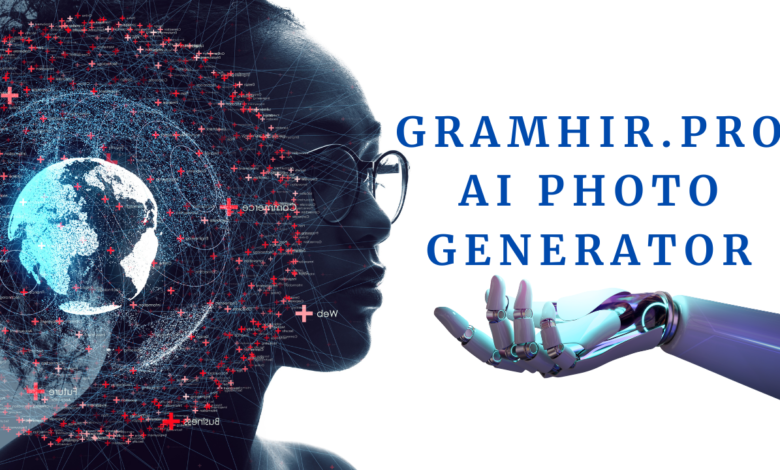

Forget the design degree. Forget the stock photo subscription that never has the exact image you need. Gramhir.Pro AI takes a written sentence and spits out a finished visual in seconds, and the technical machinery underneath that simplicity is worth actually understanding before you write it off as another generic AI image tool.
What Gramhir.Pro AI Actually Does
You type a description. The platform returns a rendered image matching that description. No layers panel, no brush tools, no Photoshop learning curve standing between you and a usable visual. The entire creative burden shifts from “can I draw this” to “can I describe this clearly” — which is a fundamentally different skill, and one a lot more people already have.
Preloaded templates exist for anyone who doesn’t want to start from a completely blank prompt field — useful scaffolding when you know roughly what you want but haven’t nailed the specific phrasing yet. Output comes high-resolution by default, ready for web deployment, print runs, or marketing campaigns without any upscaling detour required first.
The Engine Room: GANs Doing the Heavy Lifting
Here’s where it gets genuinely interesting from a technical standpoint. Gramhir Pro AI runs on Generative Adversarial Networks — a two-network architecture where one model (the generator) creates images while a second model (the discriminator) evaluates whether those images look convincing.
They’re locked in a continuous feedback loop, each one forcing the other to improve, until the output clears whatever internal quality threshold the system has set.
This adversarial setup is exactly why the output has consistent texture rendering and realistic lighting behavior rather than the flat, slightly-off quality that plagued earlier-generation image generators. The discriminator is essentially playing the role of a brutally honest critic at every single iteration, and that constant pressure is what pushes pixel-level detail higher than a single-pass generation model could ever achieve on its own.
Prompt Interpretation: Where Your Words Actually Matter
Natural language processing handles the translation layer between what you type and what the GAN architecture renders. The system parses your prompt’s actual syntax, maps individual words and phrases against visual concepts it learned during training, and constructs a semantic representation of the scene before any pixel gets rendered.
This is the part most users skip past without realizing how much control it hands them. Vague prompts still produce something — the system won’t refuse a lazy input — but specificity is genuinely the lever that separates mediocre output from exactly what you pictured.
Naming the subject, the setting, the lighting condition, and the stylistic direction all in the same prompt gives the semantic engine dramatically more to work with than a three-word description ever could.
Feature Breakdown: What You’re Actually Getting
| Feature | What It Actually Delivers |
|---|---|
| Pattern Detection | Keeps artistic consistency across multiple generations |
| Instant Processing | Seconds, not minutes, between prompt and output |
| High-Resolution Output | Print-ready files at full resolution by default |
| Multiple Format Support | Covers a range of file types for different use cases |
| Prompt Interpretation | Reads detailed descriptions accurately, not just keywords |
Style range is genuinely broad — realistic photography, digital painting, anime, watercolor, full 3D rendering, and minimalist illustration are all selectable directly through prompt language or preset selection.
Aspect ratio, color palette, and dimensions are all adjustable both before generation and after, and a preview mode lets you iterate through variations without burning a download credit on every single attempt.
The Pricing Split
Free tier gets you basic styles, standard resolution output, and a limited slice of the template library — enough to genuinely test whether the tool fits your workflow before committing anything financially. The paid tier removes every ceiling: full style library access, maximum resolution output, and the complete set of customization controls unlocked simultaneously.
The free-to-paid gap here isn’t artificially crippled the way some freemium tools get designed — it’s a genuine capability expansion rather than just removing a watermark.
The Actual Workflow, Start to Finish
Account creation takes the usual thirty seconds. From there: type a prompt that actually specifies subject, setting, style, and lighting rather than a vague noun phrase. Dropping in a reference image if you have one helps the model lock onto your intended visual direction far more precisely than text alone usually achieves.
Pick a style preset if you want one, adjust your output dimensions, hit generate. Review what comes back, then either download directly or push it straight to Instagram, LinkedIn, or Facebook without an export-then-upload detour.
If you want additional sharpening or resolution beyond what the platform outputs natively, pairing the result with a dedicated AI upscaling tool afterward is a completely viable post-processing step — the two tools aren’t competing, they’re complementary stages in the same pipeline.
Why Smaller Teams Are All Over This
Manual image creation eats hours that small teams frequently don’t have spare. Hiring a professional designer for every single marketing asset isn’t financially realistic for a five-person startup running lean. Gramhir Pro AI compresses that entire cost-and-time equation down to a couple of minutes and a fraction of the price.
There’s also a genuine creative-block use case here that doesn’t get talked about enough — artists stuck staring at a blank canvas can generate rough AI starting points specifically to break inertia, then refine or completely repaint from that foundation rather than starting from absolute zero.
For startups already juggling project coordination tools to keep operations lean, slotting in an AI image generator for visual asset production means you’re not expanding headcount just to keep a content calendar fed. E-commerce teams specifically get outsized value here — product photography and promotional graphics on demand, generated exactly when a campaign needs them rather than scheduled around a photographer’s availability weeks in advance.
The Market Context That Explains Why This Category Is Exploding
The numbers behind AI image generation as a sector are not subtle. $8.7 billion in 2024, projected to hit $60.8 billion by 2030 — that’s a 38.2% annual growth rate, which is the kind of curve that reorders entire industries within a single decade rather than gradually shifting them.
Collectively, platforms in this space are already producing around 34 million images daily, and 14% of e-commerce businesses have already integrated AI image tools directly into their operations.
That adoption curve isn’t plateauing — it’s accelerating, and the broader trend of AI tools expanding into adjacent territory like document analysis and research suggests image generation specifically is just one front in a much larger shift in how digital content gets produced across every industry simultaneously.
FAQs
Is Gramhir.Pro AI usable without any design background?
Yes — the entire interaction model is text-prompt based, requiring zero prior design or illustration skill.
Can it generate genuinely photorealistic results?
Yes, the GAN architecture is specifically built for photorealistic rendering, and output quality scales directly with how detailed your prompt is.
Is there a free version?
Yes — basic styles and standard resolution are free, with a paid tier unlocking the full template library and maximum resolution.
What art styles does it actually support?
Realistic photography, digital painting, anime, watercolor, 3D rendering, and minimalist illustration, among other presets.
Can output be used commercially?
The premium plan includes commercial usage rights, though checking the platform’s current terms of service before publishing is worth doing regardless.