








Every Dollar Tree Compass associate eventually needs to do the same handful of things: confirm a shift, pull up a pay stub, ask for a day off, or figure out why the portal won’t load. Compass Mobile is the system Dollar Tree built to handle all of it — and knowing how it actually works saves a lot of unnecessary back-and-forth with managers and HR staff.
Here is everything needed to get in, stay in, and get the most out of the portal.
Dollar Tree Compass in Plain Terms
Compass Mobile is a web-based employee self-service system hosted at compassmobile.dollartree.com. It runs through any standard browser — no software to install, no account to create outside of what HR already set up during onboarding.
Through it, associates can pull up their current schedule, download past pay stubs, submit time-off requests, arrange shift swaps with coworkers, and access tax documents and benefits information. It is the central hub for the administrative side of working at Dollar Tree Compass.
One point worth emphasizing upfront: there is no official Dollar Tree app on the App Store or Google Play. Anything claiming to be the Compass Mobile app on either platform is unauthorized. Some of these impostors are built specifically to harvest login credentials.
The real portal is browser-only, and the mobile version of the website works just as well on a smartphone as a dedicated app would.
Logging In Step by Step
The safest way to reach the portal is by typing the address directly into the browser’s address bar rather than running a search. Search results sometimes surface lookalike pages that are visually indistinguishable from the real login screen.
URL: compassmobile.dollartree.com
Once there, the login process is straightforward:
- Type the WFM username provided by HR into the username field — not an email address
- Enter the password
- Hit Login and let the dashboard load
- Navigate from the main menu to whatever section is needed
For employees logging in for the first time: Dollar Tree generates a default password automatically using a predictable formula — two-digit birth month, followed by the last two digits of the birth year, followed by the final four digits of the Social Security Number.
Viewing the Schedule
Once logged in, the schedule lives under the Clock-In Info section of the main dashboard. Everything relevant to upcoming shifts appears here: dates, start and end times, department assignments, and any annotations left by store management.
This section stays current — changes made at the store level push through immediately rather than on a delay. If a manager adjusted a shift earlier in the day, the updated version is what shows up in the portal.
Both full-time and part-time associates access scheduling through the same section, though the ability to make changes versus simply viewing depends on role permissions set at the store level.
What Associates Actually Use Dollar Tree Compass For
| Feature | Usage Rate |
|---|---|
| View Schedule | 82% |
| Check Pay Stubs | 74% |
| Time-Off Requests | 56% |
| Shift Swaps | 44% |
| W-2 Downloads | 38% |
| Benefits Information | 29% |
Scheduling and payroll account for the heaviest usage by a significant margin, which tracks with what most hourly employees need most often. The other features see meaningful but less frequent use.
Pay Stubs, W-2s, and Payroll Records
Current and historical pay stubs sit inside the Payroll section of the dashboard. Each pay period generates a downloadable record that associates can save or print as needed.
W-2 forms follow a different timeline — they appear under Tax Documents once annually, generally in January, covering earnings from the prior calendar year. Associates who are missing pay records or encountering access errors in the payroll section should reach out to payroll support directly rather than waiting.
The IT line at 1-800-876-8077 handles these cases, as does an email to the payroll support address.
Time Off and Shift Swaps

Requesting time off through the portal sends the request directly into a manager review queue. Once the manager approves it, the schedule updates on its own — no additional steps required on the associate’s end.
Shift swap requests follow the same approval path. The associate selects the coworker they want to swap with, submits the request, and the system routes it to management before making any schedule changes. Not every location has the swap feature enabled for all roles.
If the option appears inactive or grayed out, asking a manager whether the store has it turned on for that position will settle the question quickly.
When the Password Stops Working
The login page at compassmobile.dollartree.com has no self-service password reset option. Associates who have forgotten their credentials or been locked out need to go through either their store manager or the HR department. Both can initiate a reset or issue a temporary credential from the administrative side of the system.
Account lockouts triggered by repeated failed attempts are handled by IT support at 1-800-876-8077. These cannot be resolved through the portal itself — a manual reset is required.
From a general security standpoint, Dollar Tree recommends refreshing passwords every few months. The default credential format should be replaced immediately on first login, and credentials should never be saved on devices that other people share or have access to.
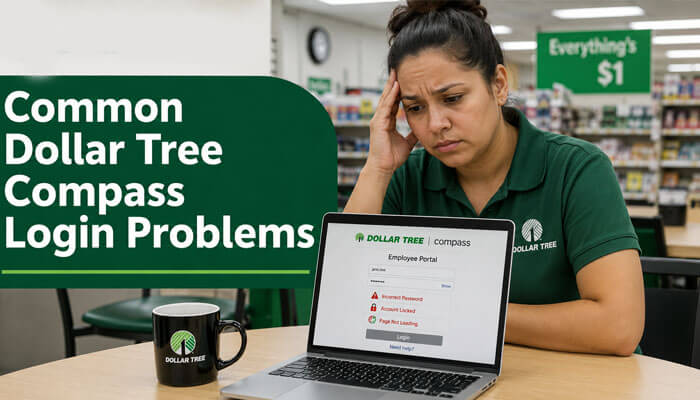
Fixing the Most Common Login Problems
Credentials entered correctly but login still fails Autofill is the most common cause. Browsers often save outdated passwords or insert an email address into the username field without the user noticing. Clearing both fields and typing everything manually typically resolves this. Caps Lock being enabled is the second most frequent culprit — worth checking before anything else.
Dashboard loads as a blank white page Accumulated browser cache and stored cookies frequently cause this. Clearing both and reloading the page fixes it in most cases. Opening an incognito window is a quick way to test whether browser extensions are interfering — if the page loads normally in incognito, an extension is likely the problem.
Login button unresponsive on a mobile device This is a known rendering issue on certain Android browsers. Switching to Desktop Site view in the browser menu — usually found under the three-dot settings icon — resolves it immediately in most cases.
Portal appears unreachable from multiple devices Before assuming a server-side outage, test from a completely different network. Switching from home Wi-Fi to mobile data rules out local connectivity issues. Store management typically receives internal notifications about system downtime. Checking in with a manager is the fastest way to confirm whether an outage is in progress.
Account is locked Repeated failed login attempts trigger an automatic lock that cannot be bypassed from the login screen. Call IT support at 1-800-876-8077 or contact HR directly to restore access.
Contact Directory
| Purpose | Contact |
|---|---|
| IT Support / Account Access | 1-800-876-8077 |
| Benefits Portal (MyTree) | 1-855-245-7994 |
| Benefits Hours | Monday–Friday, 8 AM–8 PM ET |
| Pay Stub Inquiries | payrollsupport@dollartree.com |
| Portal Address | compassmobile.dollartree.com |
Benefits questions route through an entirely separate system from Compass Mobile. The MyTree benefits line handles enrollment, coverage details, and plan changes. Calling the general IT number for a benefits question will almost certainly result in being transferred, so going directly to 1-855-245-7994 is the more direct path.
A Few Habits Worth Building
Save the URL as a bookmark. Typing the address directly each time — or using a saved bookmark — keeps the login experience consistent and eliminates the risk of accidentally landing on a fraudulent page through search results.
Change the default password immediately. The factory credential is built from personal information that others could potentially reconstruct. Replacing it on day one removes that exposure entirely.
Stick with Chrome or Edge. Both render the portal reliably. Associates who use Firefox or older Safari versions occasionally run into formatting inconsistencies, particularly with the mobile layout.
Submit time-off requests well in advance. Approvals route through store management before taking effect. The earlier a request goes in, the more runway there is for review — and the higher the likelihood of getting the dates confirmed rather than turned down due to scheduling conflicts.
FAQs
What is Dollar Tree Compass?
It is Dollar Tree’s browser-based employee portal at compassmobile.dollartree.com, used by associates to manage schedules, pay records, time-off requests, shift swaps, and HR information.
Is there an official Compass Mobile app?
No. Dollar Tree has not released an authorized app for any platform. The mobile-optimized website covers all the same functionality and is the only legitimate access method.
What is the default password for new hires?
Two-digit birth month + last two digits of birth year + last four digits of Social Security Number.
How do I see my schedule?
Log into the portal and open Clock-In Info from the dashboard.
My login button won’t work on my phone — what do I do?
Switch the browser to Desktop Site view. This resolves a rendering issue that affects the button on certain Android devices.
Who handles a locked account?
IT support at 1-800-876-8077, or the HR department at the store level. The portal itself has no self-service unlock option.
Can I access the portal from a personal phone?
Yes. Any smartphone browser works. Chrome and Safari both handle the mobile layout reliably.


