





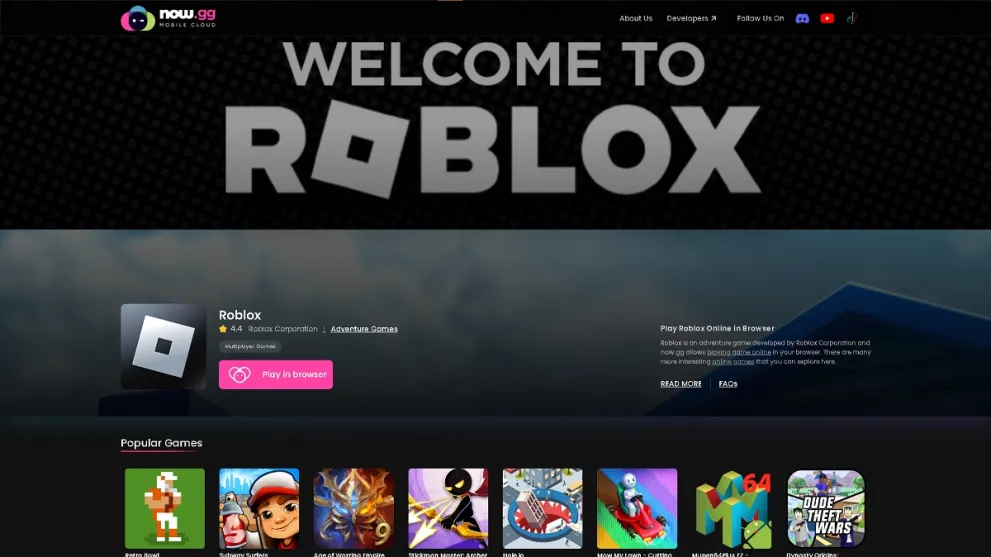

Roblox has over 380 million registered accounts. Not every device can run it smoothly. Now.gg Roblox login fixes that. It moves Roblox to remote servers. The game streams straight to your browser. No downloads. No hardware requirements to worry about.
What Now.gg Roblox Login Actually Does
Now.gg is a cloud gaming platform. It runs games on its own servers. Then it streams the output to your browser. Roblox itself never touches your device. All processing happens remotely. You just watch and interact through the browser window.
This matters for older hardware. An aging Chromebook can run Roblox smoothly. A budget Android phone can too. So can a school-issued tablet. The only real requirement is a stable connection. Now.gg recommends at least 5 Mbps. Ping should stay under 40 milliseconds.
Logging In: The Full Process
The whole thing takes under two minutes. Here’s every step:
- Open any modern browser. Chrome, Safari, Edge, and Firefox all work.
- Go to now.gg and search for Roblox in the catalogue.
- Click “Play in Browser” on the Roblox page.
- Wait through a short pre-roll ad. The game interface loads after.
- Enter your Roblox username and password. Or create a new account right there.
- Pick any game from the Roblox catalogue. Start playing immediately.
Creating a Now.gg account is optional. But it saves you from re-entering credentials every visit. It also unlocks social features. Trophies and streaming options come with it.
Which Devices Work
Browser-based gaming means broad compatibility. If a device has a browser and internet, it works.
| Device Type | Operating Systems | Status |
|---|---|---|
| Desktop & Laptop | Windows, macOS, Linux | Supported |
| Smartphones | Android, iOS 13+ | Supported |
| Tablets | Android, iPad (Safari/Chrome) | Supported |
| Chromebooks | Chrome OS, including school devices | Supported |
What Connection Speed You Actually Need
Your internet speed shapes the entire experience. Here’s the bandwidth breakdown by quality tier:
| Quality | Bandwidth Needed |
|---|---|
| Minimum | 5 Mbps |
| Standard | 10 Mbps |
| Good | 15 Mbps |
| Best / HD | 25+ Mbps |
Ping matters just as much as download speed. Under 40ms feels instant. Above 100ms feels sluggish. Fast-paced Roblox games make that lag especially noticeable. If you’re on a shared network, try ethernet instead of Wi-Fi. Sitting closer to the router also helps.
Why People Choose This Over the Native App
Restricted hardware is the biggest reason. Many students use Chromebooks. School IT often blocks app installation entirely. Now.gg sidesteps that completely. Nothing gets installed. The browser just opens a stream.
There’s also no update waiting. Roblox updates frequently. The native app often needs hundreds of megabytes per update. On Now.gg, updates happen server-side. You always get the current version. Your device storage never gets touched.
Does Using Now.gg Compromise Safety?
Playing through Now.gg doesn’t remove any Roblox safety features. Chat filters still work. Content moderation still applies. Account protections stay exactly the same as the native app.
A few precautions matter regardless of how you access Roblox:
- Always type now.gg directly into your browser. Don’t click third-party links claiming to offer the same service. Phishing pages often copy the real interface.
- Never share your Roblox username or password. Not even with other players in-game.
- Parents should set up parental controls inside Roblox itself. The platform supports player chat. Now.gg has no separate parental control system of its own.
Now.gg is free and ad-supported. Ads play before games load. You may need to disable ad-blockers for the stream to start. There’s currently no paid tier that removes ads.
Fixing the Most Common Problems
| Problem | Likely Cause | Fix |
|---|---|---|
| Login not accepted | Wrong username or expired password | Use Roblox’s official password reset, then retry |
| Stuck on loading screen | Outdated browser or cached data | Clear cache, update browser, or switch to Chrome |
| Choppy stream or input lag | Slow connection or high ping | Switch networks; close other browser tabs |
| Black screen after clicking Play | Ad-blocker interference | Disable ad-blocker for now.gg, or whitelist it |
| Session keeps timing out | Inactivity detection | Create a Now.gg account for longer sessions |
Getting the Smoothest Experience
Cloud gaming shifts processing off your device. But your connection and browser setup still matter a lot. Wired ethernet beats Wi-Fi for ping stability. This holds true even when your Wi-Fi speed test looks fine.
Inside Roblox, lower the graphics settings. This reduces how much data streams to your screen. It helps noticeably on slower connections. Close unused browser tabs too. This frees up memory. Older or lower-RAM devices benefit the most from this step.
FAQs
What is Now.gg Roblox login?
It’s the process of signing into Roblox through Now.gg’s cloud platform. The game streams to your browser. No download or installation needed.
Is playing Roblox on Now.gg free?
Yes. Now.gg has no subscription fee. Ads run before games launch. Ad-blockers need to be disabled for the stream to load.
Does it work on Chromebooks?
Yes, including school-issued devices. Since Roblox streams through the browser, Chrome OS restrictions don’t apply.
Is Now.gg safe for kids playing Roblox?
Now.gg doesn’t remove any built-in Roblox safety features. Parents should still configure parental controls directly in Roblox account settings.
Why does Roblox lag on Now.gg?
Lag almost always comes from a slow connection or high ping. Try a wired connection. Lower in-game graphics. Close other browser tabs.